ST33000652NS Seagate 3.5″ hard drive with a storage capacity of 3000GB and featuring a SATA interface.
All information about the Seagate ST33000652NS hard disk drive: technical parameters, failure symptoms, HDD PCB repair and recommended retailers.
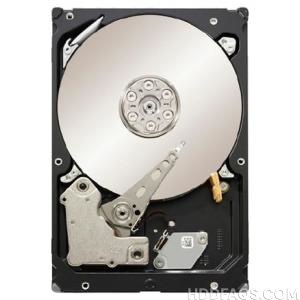
Seagate ST33000652NS Technical Details:
- Disk Family: Constellation ES.2
- Type: HDD
- Purpose: for the server
- Form Factor: 3.5″
- Storage Capacity: 3000 GB
- Buffer memory: 64 MB
- Speed of rotation: 7200 rpm
- Disk Interface: SATA 6Gb/s
- External data transfer rate: 600 MB/s
- Average access time, reading: 8.5 msec
- Average access time, record: 9.5 MS
- The average time delay (Latency): 4.16 msec
- Shock resistance at work: 40 G
- Shock resistance during storage: 300 G
- MTBF: 1200000 h
- Power consumption: 10.70 W
- Data encryption: yes
- Dimensions (WxHxL): 101.85×26.1×147 mm
- Weight: 700 g
Seagate ST33000652NS Hard Drives:
- Seagate ST33000652NS – 3TB 7.2K RPM 64MB Cache 6G SATA 3.5″ Hard Drive
Seagate ST33000652NS Failure Symptoms:
- Electrical Failure Symptoms:
Drive is powered, but shows no sign of function;
Disk knocking as the motor fails to spin;
Clicking sound as the heads search or initialize; - Mechanical Failure Symptoms:
Clicking, grinding sounds;
Completely quiet due to “motor freeze”;
“music” tone as the disk is powered up; - Logical Failure Examples:
Accidental deletion, accidental format, file corruption, software bugs, file system corruption, viruses and malware, and many, many more. - Firmware Failure Symptoms:
drive powers up, but is not recognised by the computer;
Drive powers up, but is recognised wrongly, sometimes with nonsensical characters;
Drive freezes during booting up; - Bad Platter Area Symptoms:
Hard disk still accessible but appear to “hang” or “sluggish”;
Constant Cyclic Redundancy (CRC) errors;
Unable to access folders or files which could be seen; - Complex Failure Model
Seagate ST33000652NS HDD PCB Repair:
When it comes to data recovery one of the most common problems Seagate ST33000652NS Hard Disk Drive experience is burnt circuit board(PCB). So if you will need to match a replacement PCB, it is important that you note the “PCB Number” of your current circuit board in addition to the hard drive’s “Model Number”.
Multiple PCB Number revisions:
, etc.