ST9146652SS Seagate 2.5″ hard drive with a storage capacity of 146.8GB and featuring a SAS interface.
All information about the Seagate ST9146652SS hard disk drive: technical parameters, failure symptoms, HDD PCB repair and recommended retailers.
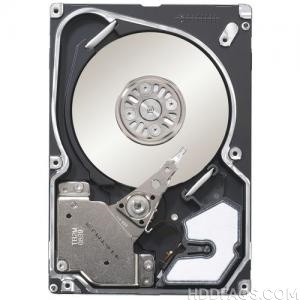
Seagate ST9146652SS Technical Details:
- Storage Capacity: 146.80 GB
- Maximum External Data Transfer Rate: 600 MB/s (4.7 Gbit/s)
- Spindle Speed (rpm): 10000
- Buffer: 16 MB
- Average Seek Time: 2.90 ms
- Average Latency: 2 ms
- Disk Interface: SAS
- Drive Interface Standard: 6Gb/s SAS
- Drive Type: Internal
- Form Factor: 2.5″
- Height: 0.6″
- Width: 2.8″
- Depth: 39.6″
- Weight: 6.88 oz
Seagate ST9146652SS Hard Drives:
- Seagate ST9146652SS Savvio 147GB SAS-12Gbps 15000RPM 2.5-Inch Hard Drive
Seagate ST9146652SS Failure Symptoms:
- Electrical Failure Symptoms:
Drive is powered, but shows no sign of function;
Disk knocking as the motor fails to spin;
Clicking sound as the heads search or initialize; - Mechanical Failure Symptoms:
Clicking, grinding sounds;
Completely quiet due to “motor freeze”;
“music” tone as the disk is powered up; - Logical Failure Examples:
Accidental deletion, accidental format, file corruption, software bugs, file system corruption, viruses and malware, and many, many more. - Firmware Failure Symptoms:
drive powers up, but is not recognised by the computer;
Drive powers up, but is recognised wrongly, sometimes with nonsensical characters;
Drive freezes during booting up; - Bad Platter Area Symptoms:
Hard disk still accessible but appear to “hang” or “sluggish”;
Constant Cyclic Redundancy (CRC) errors;
Unable to access folders or files which could be seen; - Complex Failure Model
Seagate ST9146652SS HDD PCB Repair:
When it comes to data recovery one of the most common problems Seagate ST9146652SS Hard Disk Drive experience is burnt circuit board(PCB). So if you will need to match a replacement PCB, it is important that you note the “PCB Number” of your current circuit board in addition to the hard drive’s “Model Number”.
Multiple PCB Number revisions:
, etc.